Real Life AI · Tip #4
Dreading a Hard Email or Text? Let AI Write the First Draft
Saying no to hosting this year. Sending back a wrong order. Apologizing to a friend. Some messages sit in our heads for days. Here's a shortcut that takes about 2 minutes.
How to do it
Open ChatGPT, Gemini or your favourite AI
The free versions are fine.
Type this
Copy the prompt below and swap in your own situation.
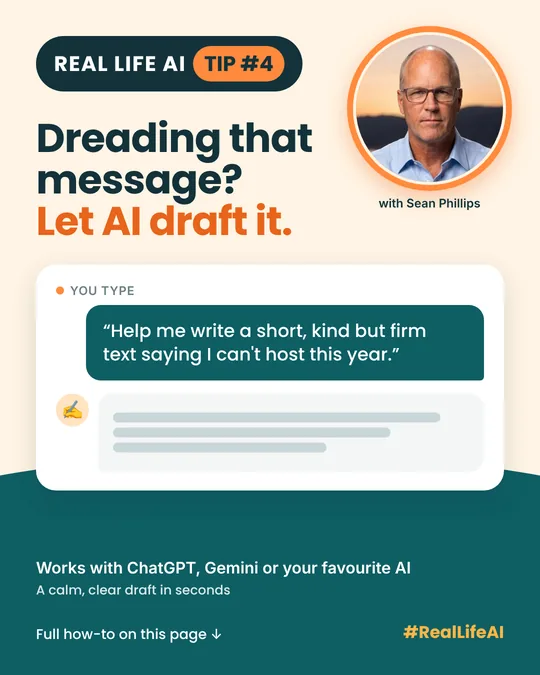
Help me write a short, kind but firm text to my sister saying I can't host Christmas dinner this year. I want to stay warm, not over-explain, and suggest we take turns from now on. Give me two versions: one casual, one a bit more formal.
Tweak it to suit you
Add "make it softer" or "shorter, please" and it will adjust.
Make it sound like you
Change a word or two so it reads in your own voice, then hit send.
What you get
Try it with a complaint to a store, a polite "no" to a volunteer request, or an apology you've been putting off. You get back:
- A calm, clear draft without the heat of the moment.
- Two versions so you can pick the tone that fits.
- Kind but firm wording that says what you mean without over-explaining.
No overthinking. No stewing. No message sitting in your drafts for a week.
Why it works
The hard part of a difficult message is usually the first sentence and the tone. AI gives you a neutral starting point, so you can spend your energy on what you actually want to say.
Make it your own
- Soften it: "Make it warmer and a little softer."
- Trim it: "Shorter, please. Two sentences max."
- Firm it up: "Make it clear this is my final answer, but stay polite."
- Get a reply ready: "How might they respond, and what could I say back?"
- Check the tone: Paste your own draft and ask "Does this sound rude or defensive?"
Good to know
- Read it before you send it. Make sure every line is true and sounds like you.
- Leave out personal details. Don't include account numbers, your SIN, passwords or card numbers in the prompt.
- AI is a starting point. For anything legal or money related, check with a professional before you send.
Questions people ask
Won't the message sound like a robot wrote it?
Not if you make it yours. Change a few words, add a detail only you would know, and ask for a casual version if the first one feels stiff.
Is it okay to use AI for a personal apology?
Many people use it to find the right words. The feelings are still yours. Read it carefully and change anything that doesn't sound like you.
Can it help with a work email too?
Yes. Tell it who you're writing to and the outcome you want, such as a refund, a new deadline or a polite no.
Which AI app should I use?
ChatGPT, Gemini or any AI app you already have. The free versions are enough for this.
This is everyday AI making life easier, not robots taking over the world.
More Real Life AI tips
 Tip #2Confusing Letter or Bill? Snap It and Ask AI to Explain It in Plain EnglishRead it ›
 Tip #3Hosting a Holiday Party or Potluck? Let AI Plan the Menu and ListsRead it ›

Written by Sean Phillips
Real estate agent in Vernon, BC, and a fan of anything that makes everyday life easier.
Photo: Sean Phillips