Real Life AI · Tip #2
Confusing Letter or Bill? Snap It and Ask AI to Explain It in Plain English
Got a bill, notice or form that reads like it was written in another language? You're not alone. Here's the fix, and it takes about 30 seconds.
How to do it
Open ChatGPT, Gemini or your favourite AI
The free versions are fine.
Take a photo of the letter
Cover or crop out account numbers, your SIN and anything else personal first. Never type in passwords or card numbers.
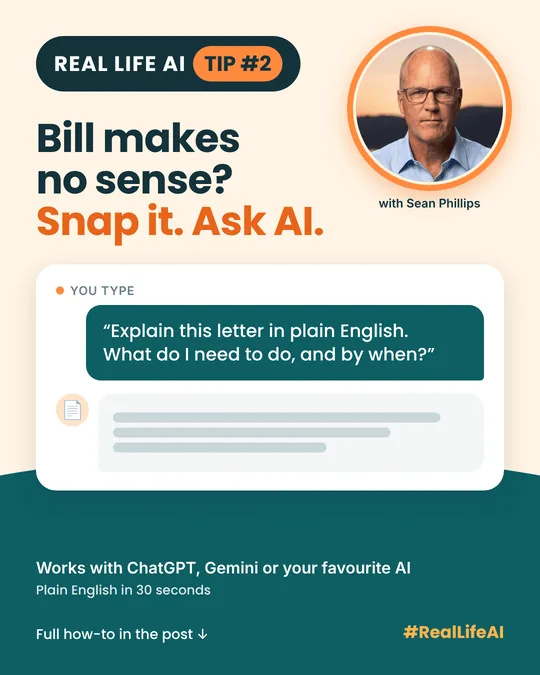
Type this
Copy the prompt below, or put it in your own words.
Explain this letter in plain English. What is it about, do I need to do anything, and by when? List any deadlines or amounts owing.
Tweak it to suit you
Add "explain it like I'm brand new to this" or "what questions should I ask them?" and it will adjust.
What you get
Try it with a power bill that has a surprise charge, a strata notice, or that government form you've been avoiding. You get back:
- A short summary of what the letter is really saying, with no jargon.
- The steps to take, in order, so you know what to do first.
- The due date and any amount owing, pulled out so you don't have to hunt for them.
No jargon. No guessing. No pile of mail on the counter.
Why it works
Official letters are written in a formal style that hides the one or two things you need to know. AI is good at reading dense text and restating it in everyday words, then listing the action items.
Make it your own
- Go simpler: "Explain it like I'm brand new to this."
- Prepare for the call: "What questions should I ask them?"
- Spot the surprise: "Why did this charge go up compared with a normal bill?"
- Draft a reply: "Write a short, polite email asking them to explain this charge."
- Make a checklist: "Turn this into a to-do list with dates."
Good to know
- AI is a starting point. For anything legal, health or money related, check with a professional or the office that sent the letter.
- Check the dates yourself. Compare any deadline or amount the AI gives you with the original letter before you act on it.
- Protect your details. Cover or crop account numbers, your SIN, your date of birth and any ID before you take the photo. Never share passwords or card numbers.
- AI can't tell if a letter is real. If it demands urgent payment, gift cards or your personal details, contact the company using the phone number on its official website, not the one on the letter.
Questions people ask
Is it safe to put a letter into an AI app?
Cover or crop out account numbers, your SIN and anything else personal before you take the photo. It's also worth checking the privacy settings in the app you use.
What if the AI explains it wrong?
It can happen. Check any deadline or dollar amount against the original letter, and call the sender or a professional when the stakes are high.
Does it work on a PDF or a screenshot?
Usually yes. Most AI apps can read photos, screenshots and PDFs. A clear, well-lit photo works best.
Which AI app should I use?
ChatGPT, Gemini or any AI app you already have. The free versions are enough for this.
This is everyday AI making life easier, not robots taking over the world.
More Real Life AI tips

Written by Sean Phillips
Real estate agent in Vernon, BC, and a fan of anything that makes everyday life easier.
Photo: Sean Phillips